Hostess WorkstationYour front door, managed entirely on a single screen.
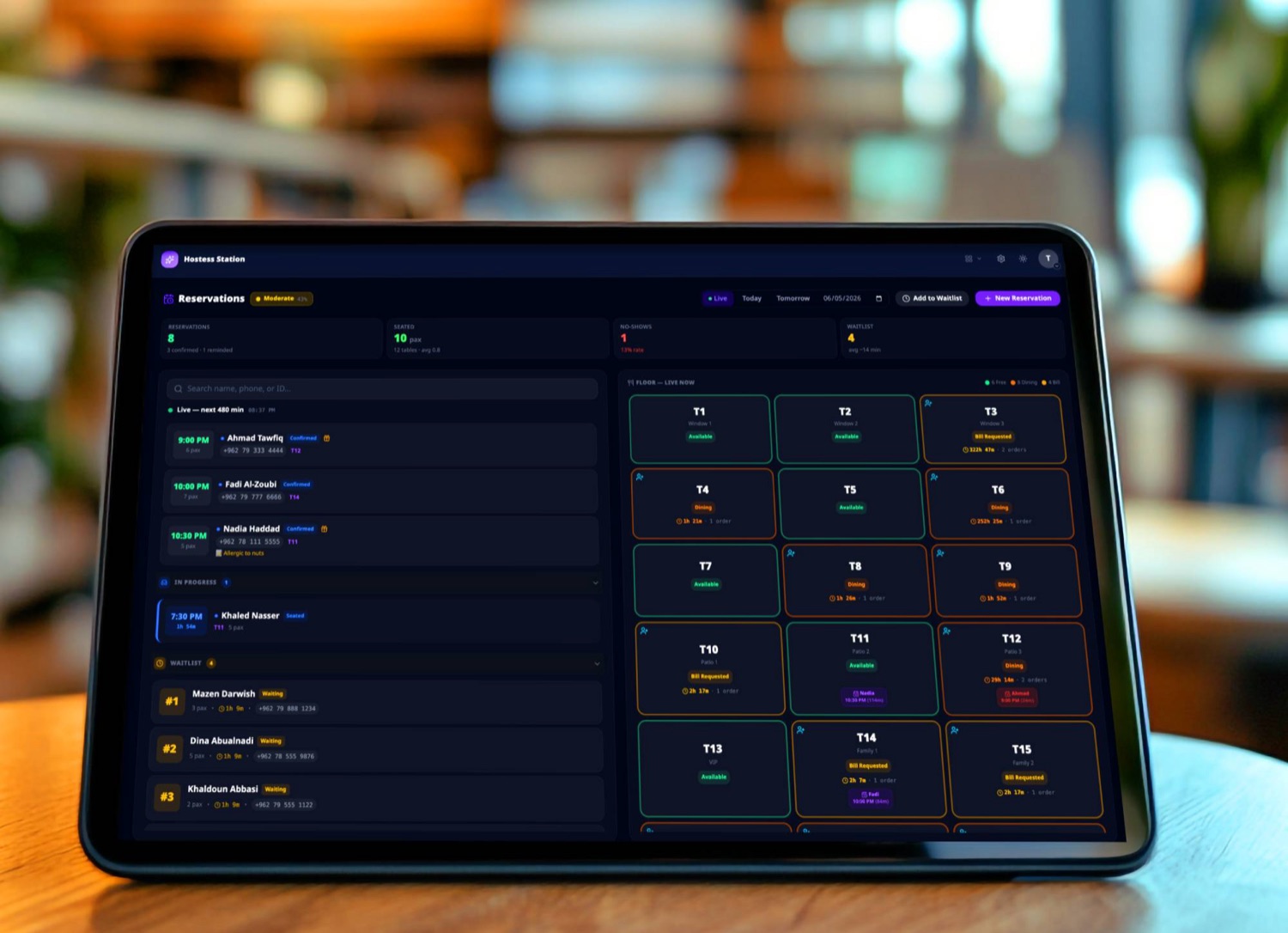
A tablet on the podium brings your whole floor to life on one intuitive dashboard. View tonight's reservations, manage the walk-in waitlist, and monitor live table statuses side-by-side.
- 8:00PMSeated · T2Khalid Nimer2 guests
- 8:30PMConfirmedLayla Al-Hamad4 guests
- 8:45PMReminder sentSalma Haddad6 guests
- 9:00PMBookedOmar Qudah2 guests
- 9:15PMBookedRana Naser3 guests
- 3NotifiedSami Issa12m
- 2WaitingReema Adel7m
- 5WaitingFaris Aql3m
Three rails · one board
Three rails. One board. No paper.
The hostess board is built around the three streams that arrive at the front door, booked, waiting, walking in. Each rail gets its own column, and the floor sits on the right so seating is one tap away.
Reservations
Today's bookings, ordered by arrival time. Statuses move forward as guests confirm, arrive, sit, finish, no manual ticking, no paper book.
- Booked → Reminder sent → Confirmed → Seated → Done
- Reminders auto-send the day before, status flips on reply
- No-show toggle preserved in the customer's history
Waitlist
The walk-in queue with a live wait timer per party. Tap to notify when the table is ready, the guest sees an SMS or hears their name called, the timer stops.
- Per-party wait-time clock, visible at a glance
- Notify with one tap, timer stops, status flips
- Move a waitlist party to a reservation slot in seconds
Floor
Every table, colour-coded by status. Open / seated / clearing / held. Tap a table to seat the next party, walk-in, waitlist, or reservation, without leaving the board.
- Live status from the cashier and waiter terminals, no double entry
- Auto-clearing buffer keeps the rotation honest
- Held tables stay reserved until the booking arrives
See it in motion
An entire service, on one screen.
From the moment the first booking arrives to the last guest leaving, every reservation, every walk-in, every table flip lands on this board. Watch a real service in fast-forward.
Who's at the door
Recognise the regular before they finish saying their name.
Every reservation row links to the customer's history, visits, no-shows, last cover, dietary notes, birthdays, allergens. The hostess sees it the moment she taps the row; the waiter sees it the moment the table is seated.
Every visit, on tap
Visit count, last cover total, average spend, the whole history in one card.
No-show truth
No-shows are written into the customer record automatically, the hostess sees a number, not a guess.
Notes & tags
Birthdays, allergens, table preferences, set on any record, follow the guest forever.
Pairs with
It plugs into the rest of service.
Waiter terminal
Once seated, the waiter's terminal opens that table's tab automatically, no shouting across the room.
Kitchen display
Big parties or special dietary tags ride along to the kitchen the moment the first item is fired.
Call Bridge
Reservations taken over the phone land on the same hostess board, no separate notebook to reconcile.
Run the front of house on one screen
Put the hostess workstation at the door.
Bundled with Dine-in. One iPad on a stand, one short setup, every reservation and walk-in in the same place, by tonight's service.