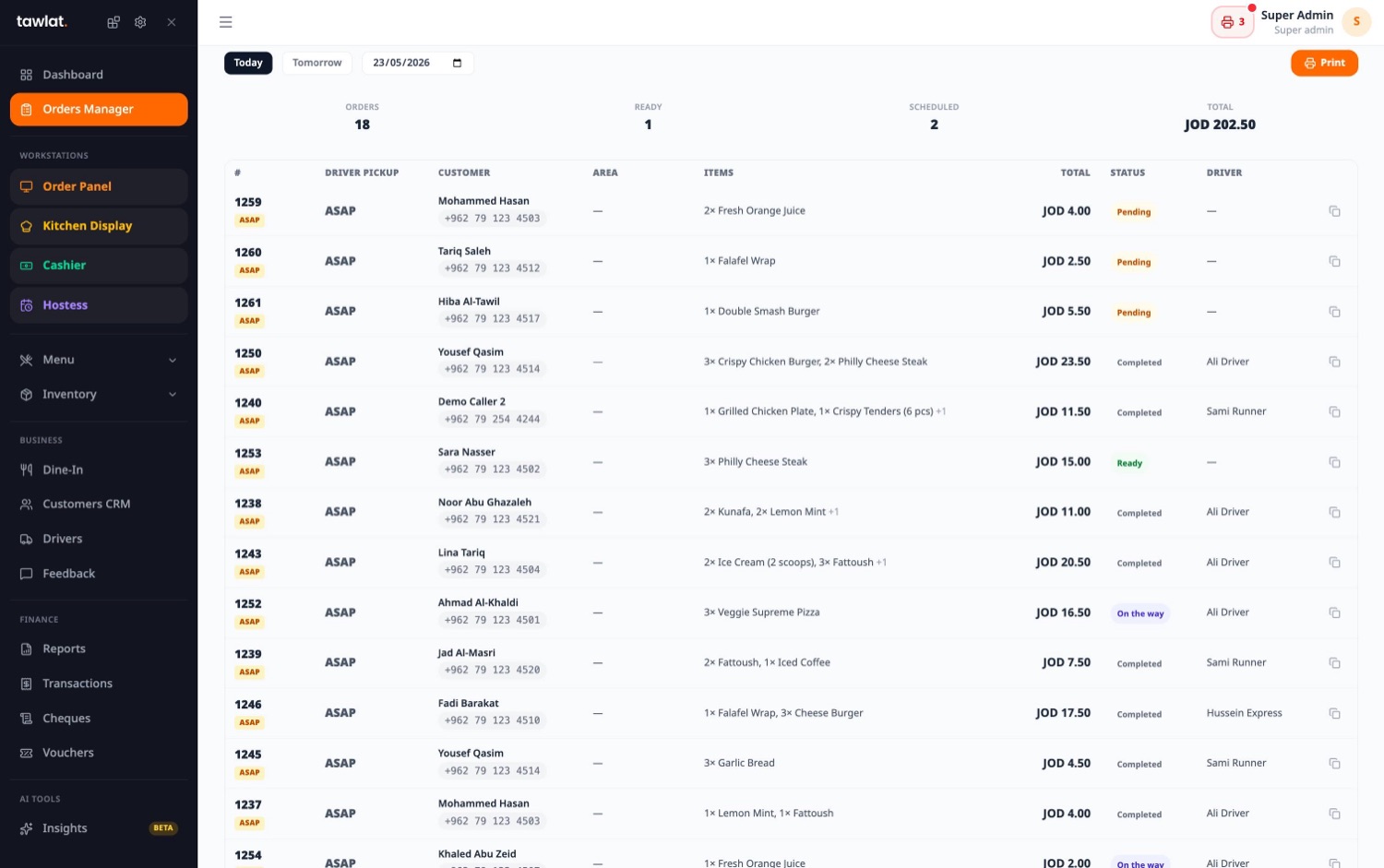
tawlat is the cloud-kitchen operating system: every channel. Talabat, Careem, your own online menu, phone orders, lands in one queue. Drivers dispatch, scheduled orders fire on a JIT timer, commission stays honest in your reports.
Driver dispatch + ETAScheduled ordersEN + AR everywhere
channels in one queue. Talabat, Careem, online, phone, walk-in
JIT
scheduled orders fire backwards from delivery time
1
screen for orders + KDS + dispatch + cashier
0
long contract, leave anytime
Live
TAWLAT · DISPATCH
#4127
Online · own menu
Layla Al-Hamad
Abdoun · Apartment 12B
ETA
12 min
91Pepperoni Pizza12.00
92Caesar Salad9.00
91Cheesecake5.50
Placed20:14
Cooking20:15
Ready20:28
Dispatched20:31
Delivered-
Driver
Khalid
On the road · Khalid · 12 min
Subtotal26.50
Delivery fee+2.00
Tax 8%+2.12
TOTAL30.62JOD
Why cloud kitchens pick tawlat
Built around the way a delivery-only kitchen actually runs.
Most restaurant POS were designed for a counter and a till. A cloud kitchen has neither, it has phones, apps, drivers, and a clock. tawlat is shaped around that reality: every channel feeds one queue, every order knows where it's going and when, every commission lands in the right column.
One queue, every channel
Talabat, Careem, your own online menu, phone orders, all in one live queue at the kitchen. The KDS doesn't care where it came from, the cashier reports do.
Driver dispatch + ETA
Assign a driver in two taps, customer sees a live ETA, drop-off proof captured on the phone. Drivers settle daily, no end-of-week reconciliation drama.
Scheduled (JIT) orders
Customer picks a delivery time. Tawlat fires the kitchen + driver backwards from that time so the food leaves hot, not a calendar to babysit.
Honest commission accounting
Every channel's commission is captured per order, your reports show net of platform fees, not gross. No surprise at month-end.
The screens you'll actually use
Four workstations. One live system.
A cloud kitchen doesn't need a hostess or a waiter terminal, there is no door, there are no tables. It needs an order panel, a kitchen display, a dispatch view, and a cashier. tawlat ships exactly those four, and they all read from the same live data.
Workstation
Order panel
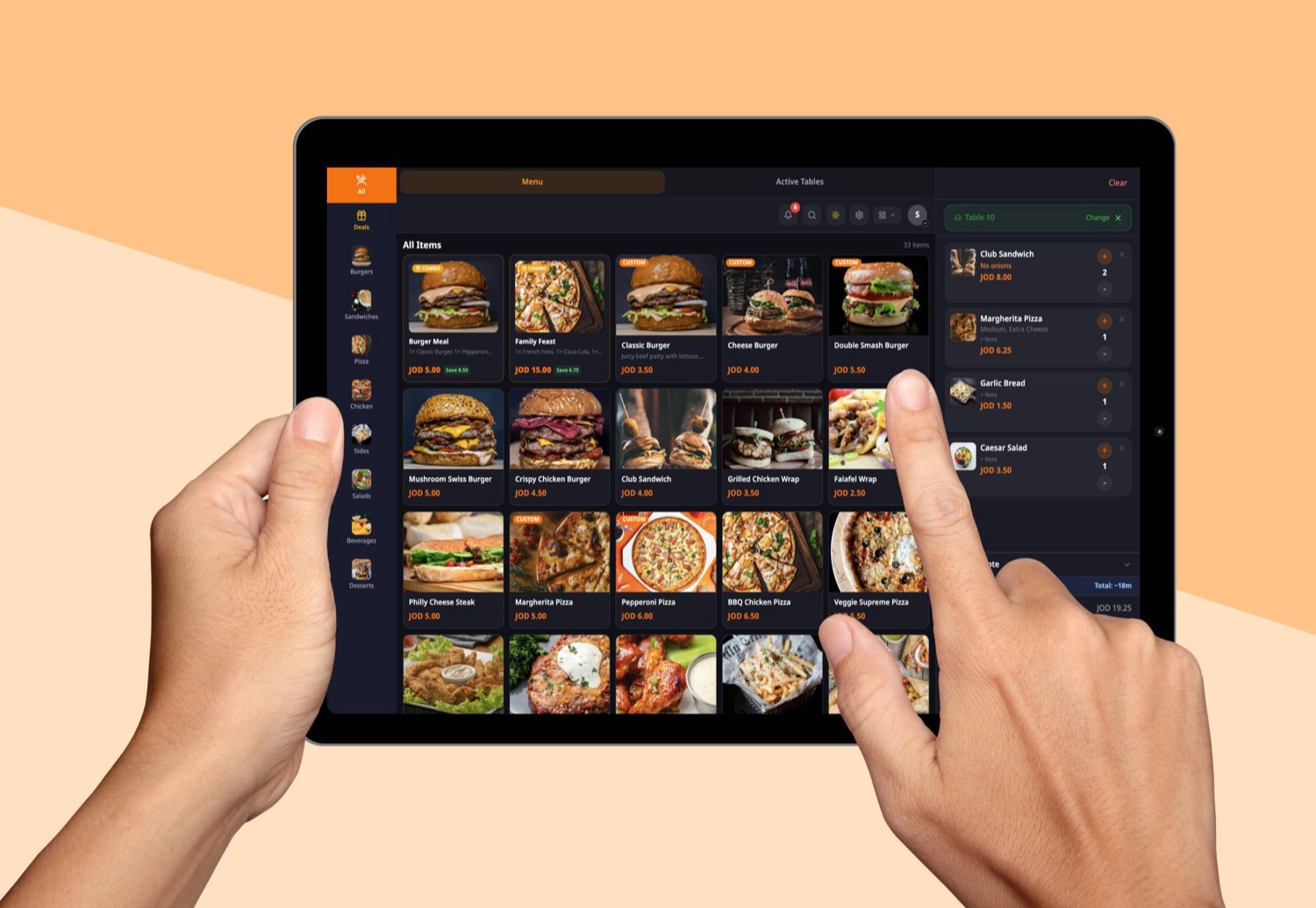
The operator's screen for phone orders, walk-in pickups, and aggregator imports that need editing. Capture customer + address + items in two-tap motions. Phone orders land here from the Call Bridge addon.
Phone-order entry with caller-recall (Call Bridge)
Aggregator import. Talabat / Careem text → editable order
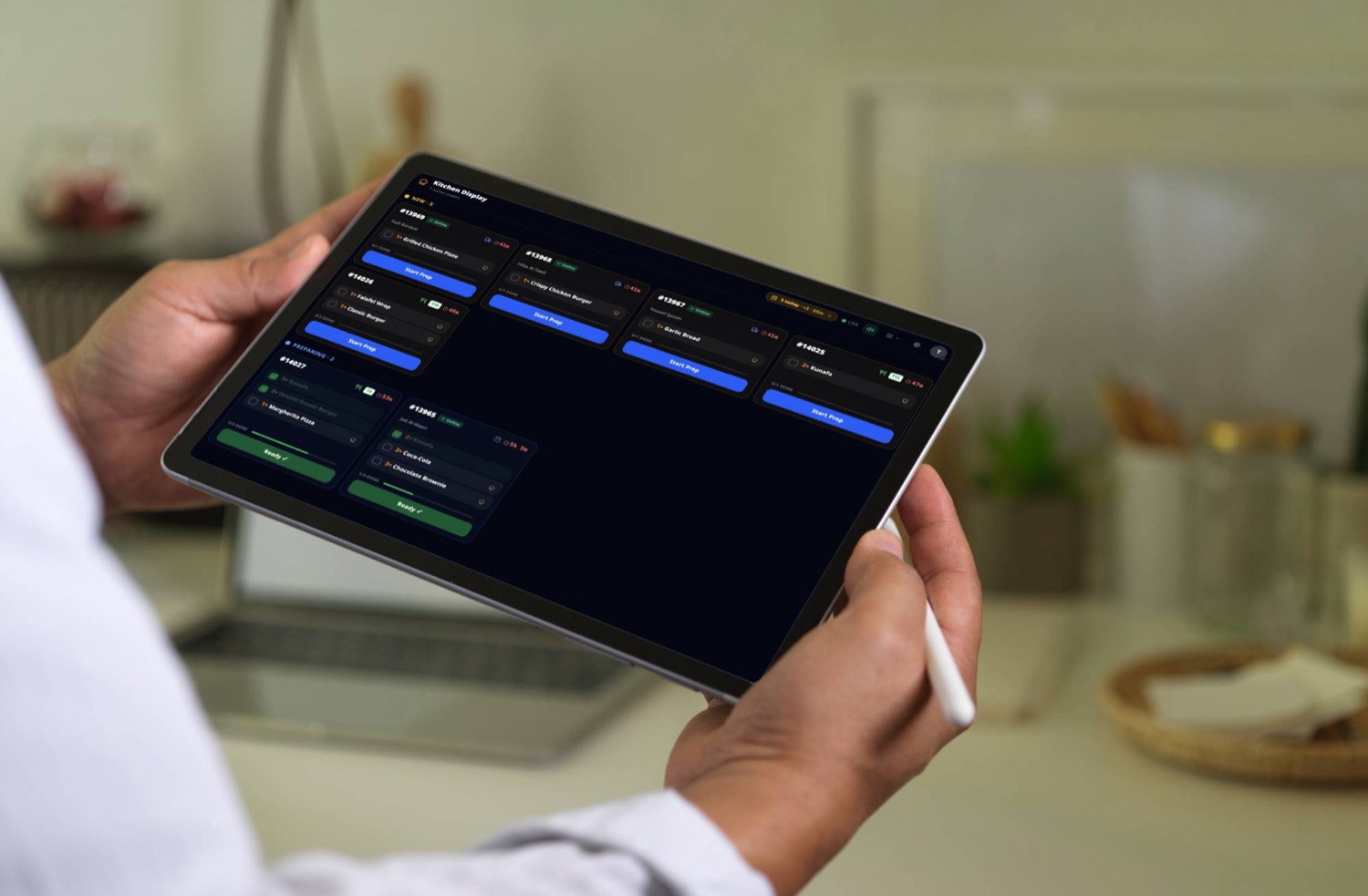
The KDS screen at the pass. Channel-aware tickets, color-coded urgency, scheduled orders shown with their fire-time, allergen tags surface in red. No paper, no shouting, no missed mods.
Channel + brand badge on every ticket
Scheduled orders shown with countdown to fire time
Allergen + special-request tags surface in red at the top
The dispatcher's screen. Ready orders, available drivers, live ETAs on a map. Assign in two taps, customer sees the assignment on their phone, drop-off proof captured automatically.
Live driver map, moto, car, bike
Two-tap assignment · customer-side ETA push
Drop-off proof · customer signature or photo capture
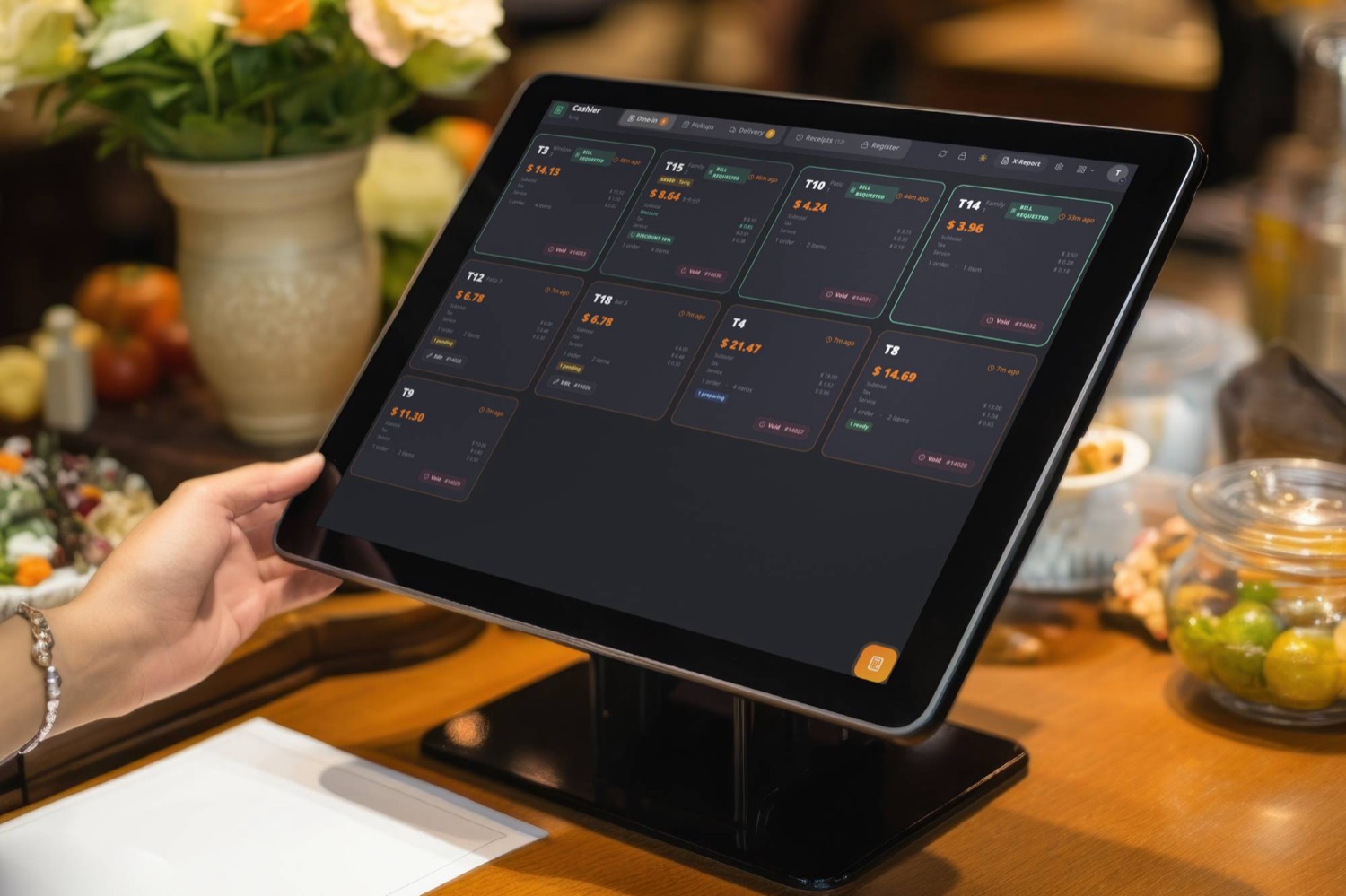
The till screen for delivery brands. Driver settlement, channel reconciliation, Z-report on close. Cash-on-delivery + CliQ + card-on-delivery + wallet, every method on one screen.
Cloud kitchens live and die by their unit economics. tawlat puts the four numbers that matter, channel commission, driver cost, ETA hit-rate, and net margin per order, on the same dashboard, with no manual spreadsheet reconciliation.
Driver cost + tip-out
Daily driver settlement built in, base, per-order rate, and tip-out distributed at the close. Audit log on every reconciliation.
ETA hit-rate tracking
Promised ETA vs. actual delivery time logged per order. Late deliveries flag in the daily report, see which area or driver is off-pace.
Drop-off proof
Customer signature or photo capture from the driver's phone, settles disputes before they happen, builds a per-customer delivery history.
Cloud kitchens live in the operational details, multi-brand from one kitchen, scheduled menu items per channel, photo-rich menus that double as the customer's only contact, allergen tags the cook actually reads, area-aware delivery fees.
Scheduled items per channel
Hide an item on Talabat at 14:00 but keep it on your own menu. Schedule per channel, the system enforces it across every queue.
Photo menus on every channel
Upload a photo per item, set focal points, scale to your online menu, the aggregator export, and the receipt automatically. Photos sell delivery the description never could.
Area-aware delivery fees
Delivery fees per zone. Abdoun, Khalda, Sweifieh, downtown. Customer sees the fee at checkout based on their address, no guesswork.
Allergen tags + notes
Mark allergens per item, capture customer allergies on the order, surface them red on the kitchen ticket, the request never reaches the bag.
Recipe-driven inventory
Recipes deduct on every sale, low-stock alerts fire before the dough runs out, FEFO tracks dated stock. Cost-of-sale flows into the daily report automatically.
Your numbers, every morning
Honest reports, by channel, by brand, by driver.
A cloud kitchen needs to see channel mix, brand mix, driver cost, ETA hit-rate, and tax. tawlat lays them out clearly on the dashboard and emails a summary every morning to the addresses you choose.
Dailysummary on the dashboard the moment you open admin
Channelper-channel net-of-commission breakdown
Driverper-driver cost, tips, ETA hit-rate
Auditevery void, refund, manual edit logged with name
Last night at a glanceFriday wave · 18:00. 23:30
Orders184+12%
Sales (gross)5,210+9%
Avg ticket28.31
Aggregator commission−480.00
Driver cost + tips−320.00
Net margin4,410.00
Tomorrow morning · in your inbox
Pricing tailored to cloud kitchens
Pay for the addons your delivery brand actually needs.
tawlat charges a small monthly per workstation, then you flip on only the addons your delivery brand uses. Cloud kitchens typically run order panel + KDS + cashier with Pickups & Delivery, Online Ordering, and Scheduled Orders bundled.
Starter
Cloud kitchen, single brand
Independent cloud kitchens with one brand and a steady delivery flow. The starting bundle.
Most cloud kitchens we onboard come from Foodics, a custom WhatsApp-and-Excel workflow, or aggregator dashboards alone. Our migration plan is built around real Jordanian delivery brands, we wire up your channels, import the menu, and import open scheduled orders in one short session.
FoodicsCustom ExcelAggregator-onlyLocal ERPWhatsApp + paper
Channels (Talabat / Careem / online), menu, photos, customer list, connected and imported in one short window. We handle it, you sit beside us.
Zero double-entry
Open scheduled orders + tonight's queue transfer the night of the cutover, your kitchen doesn't lose a single ticket or pre-order.
Free training
Operators + drivers + dispatcher get a 90-minute onboarding session, bilingual, in your kitchen, on your real menu and channels.
Cloud kitchen FAQ
Questions cloud-kitchen owners actually ask.
Channels, drivers, scheduled orders, commissions, multi-brand, hardware, answered straight, no marketing waffle. If your question isn't here, send us a note and we'll add it.
Does tawlat integrate with Talabat, Careem, Jahez?
Yes, and where direct API integration isn't available, we ingest the order text from the partner dashboard into the same queue. Each order is tagged with its source + commission rate, so reports and reconciliation work the same way regardless of channel.
How are scheduled orders handled?
The customer picks a delivery time at checkout. tawlat fires the kitchen + driver backwards from that time using a JIT timer, so food leaves hot, not when it was ordered. The morning view shows what's coming so the kitchen can prep ahead.
How does driver dispatch work?
When an order is ready, the dispatcher assigns a driver in two taps, driver gets the assignment on their phone, customer sees a live ETA. Drop-off proof (signature or photo) captures from the driver's phone. Daily settlement runs from the cashier, including base + per-order + tip-out.
Does tawlat capture aggregator commission correctly?
Yes, every order knows its channel, every channel has a configurable commission rate. Reports show gross and net-of-commission side by side, by channel and by brand. Month-end reconciliation matches the aggregator's settlement, not a manual spreadsheet.
What payment methods does tawlat support for delivery?
Cash-on-delivery, card-on-delivery (any terminal), CliQ via QR, and a generic "Other / wallet" option for new methods. Each method shows on the cashier screen with the right driver-settlement rules, cash gets reconciled with the driver, CliQ goes straight to your account.
What does it cost?
A simple monthly subscription for the whole kitchen (not per workstation, terminal, or user), plus the addons your brand actually flips on (Delivery Operations, Scheduled Orders, Online Ordering, Call Bridge, etc.). Pricing is published on /pricing, no hidden fees, no long-term contract — monthly with no contract or yearly for 15% off, cancel anytime. Free hands-on migration in 2 to 7 days. Local support in EN + AR included.
Run your cloud kitchen on tawlat
Less juggling. Less reconciliation. Better unit economics.
Book a 30-minute demo with our Amman team. We'll walk through the four workstations, wire up a starter menu in your brand's identity, and answer the questions that aren't on this page.